 Bank Zenit
 Renaissance Bank
 LOCO-Bank
 T-Bank
 Bank Sinara
 Credit Europe Bank





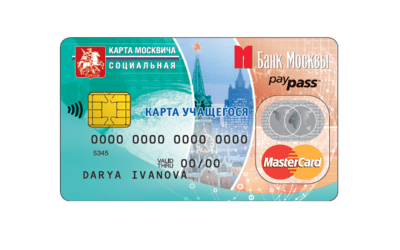
How to top up a student card via Sberbank Online

What is a social student card
The social student card is a multifunctional plastic card. It can be obtained by anyone studying full-time at any accredited educational institution located in the capital.

Currently, the card performs the following functions:
- provides the right to preferential travel on city transport, as well as suburban trains connecting Moscow and the Moscow Region;
- allows you to use the SSC as a bank card, that is, for receiving scholarships and paying for goods and services;
- provides the opportunity for free museum visits under the "Museums for Children" program;
- provides a discount on theater tickets;
- can be used as an entry pass to educational institutions;
- can be used as a medical insurance policy when booking doctor appointments;
- allows taking out a bank loan from the issuing bank once the student reaches adulthood;
- allows parental control over the child (checking school attendance, tracking academic performance and card expenses).
How to top up a social student card
There are several ways to top up a student social card. Let's look at each of them in detail.
Via SberBank Online
The easiest way to top up a student social card is to use the Sberbank Online service. You can do this as follows:
- Log in to your Sberbank Online personal account.
- Select the "Payments and Transfers" tab.
- Type "School meals payment Moscow city" in the search bar.
- Fill in the payment details.
- Enter the top-up amount.
- Confirm the payment.
You can top up the account in the exact same way via the bank's mobile app.
Via Gosuslugi
You can top up your student social card account via the Public Services portal as follows:
- Log in to the Public Services website.
- Select the "Educational Services" section.
- Find and click "My Child at School".
- Enter your child's last name, first name, and patronymic.
- Click the "Top up balance" button.
In this case, the money will be deducted not from the card, but from your mobile phone account.
At terminals
You can also top up your SCS account via QIWI payment system terminals. To do this, you need to:
- On the main screen, select the "Payment for Services" tab.
- Then select "Other Services".
- In the opened tab, find the "Education" and "Moscow School Meals" sections.
- Enter the card details and the top-up amount.
- Confirm the payment.

At ATMs
To top up a social student card, you can use ATMs of Sberbank, MKB, and Pochta Bank. The payment procedure in all three cases will be approximately the same:
- Select the "Payments" tab.
- Then click on "Education".
- Select the "Universities, Schools, Colleges, Technical Schools" section.
- Open the "School Meal Payment" tab.
- Fill in the SCS details and the account top-up amount.
- Confirm the payment.
We will find offers tailored to your situation
Leave your phone number, and we will show you options with a high approval probability and current terms.
- Verified offers
- No calls from managers
- Results delivered through your preferred channel
How to top up a card for ground transport
Topping up a social student card for ground public transport works a bit differently. You can do this with cash at Mosgortrans ticket offices, as well as via terminals of Moscow Credit Bank and the Elecsnet payment system. In all three cases, additional card activation is not required.
For cashless payment, you can use mobile apps:
- "Moscow Metro";
- "Troika. Check and Top Up";
- "My Smart City".
Note.
Top-up of the SCS account via mobile apps is available only for owners of Android smartphones with a built-in contactless payment module.
FAQ
How to connect the notification service?
To receive real-time notifications about your child's school attendance, meals, etc., a parent or other legal representative needs to fill out an application. It must indicate the contact phone numbers of all persons for whom the notification service will be arranged.
Note.
You can obtain the application form at the educational institution or download it from the Mosvenok website.
How to set up auto-top-up?
Auto-top-up is a service that allows you to automatically top up the social student card account when the balance reaches a minimum threshold. Parents set this minimum threshold themselves.
To activate the auto-top-up service, follow these instructions:
- Log in to your personal account on the mos.ru website.
- Go to the "Autopayments" tab.
- In the "Recommended" list, select your child and click the "Enable" button.
- Fill out the form. Provide all the required details: the name of the autopayment, the minimum account balance threshold, the top-up amount, the service validity period, and the auto-top-up payment method.
- Confirm the actions by entering the code from the SMS message.
How to get a refund from the card?
To get a refund from the student card, you will need to fill out an application. You can obtain it either from an employee of the educational institution or download it from the Mosvenok website. The application must specify the service provider and the bank account details to which the money will then be transferred.
How to check the student card balance?
You can check the balance of the social student card using any of four methods:
- By connecting the notification service, which will notify you of all card transactions.
- At bank branches.
- Via ATMs or terminals.
- By calling the bank's hotline.
What to do if the social student card is lost?
The first thing to do if you lose your SCU is to block it. You can do this in your banking app or by calling the bank's hotline. Then, you will need to reissue the card due to loss via Gosuslugi. If you previously paid for a transit pass, you will also need to obtain a temporary ticket through the transport organization.
How long is the social student card valid?
The validity period of the SCU is 5 years, and the system does not provide for automatic card reissuance because most children stop being students within this period, meaning the need for the card disappears. However, if the child has enrolled in another educational institution, a parent can submit a new application indicating the reason "Expiration of validity period".
Note.
All information contained on the previous card will be automatically transferred to the new one.
How to find out the personal account number?
If you have not previously activated the notification service, you can only find out the personal account number of the social student card from an employee of the educational institution or by swiping the card at an information kiosk reader.
For those who have the notification service activated, checking the card's personal account can be done remotely:
- in the "Attendance and Meals" tab on mos.ru;
- in the "Gosuslugi Moskvy" mobile app under the "My Child at School" section;
- in the "Moya Moskva" mobile app under the "Children at School" tab.

0% for 10 years
From 0 %
Limit - up to 500000 RUB
Период - 0 дней

Withdrawal with 0% fee up to RUB 0
Up to 0 %
Тип кешбэка - Рубли
Кешбэк - Нет

Withdrawal without fee up to 100,000 RUB
Up to 0 %
Тип кешбэка - Рубли
Кешбэк - 10%
Other posts







