 Bank Zenit
 Renaissance Bank
 LOCO-Bank
 T-Bank
 Bank Sinara
 Credit Europe Bank





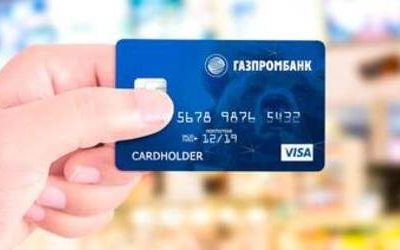
How to activate a Gazprombank card

Why you need to activate a Gazprombank card
Bank card activation is one way to protect customers from fraudulent activities. Before the cardholder activates it, the card remains inactive. This means all transactions are unavailable, which completely eliminates the risk of unauthorized card use.
This procedure is common not only at Gazprombank but also at other institutions. Moreover, only the person in whose name the card is issued can activate it. Importantly, this can be done not on the day the agreement is signed, but right before using the card, which allows you to avoid paying annual maintenance fees while you are not using the banking product.
Note.
A payroll card can only be activated the day after it is issued.
How to activate a Gazprombank card
Gazprombank currently allows several methods for bank card activation: upon receiving it at a bank branch, by contacting the 24/7 support service, independently via SMS, on the organization's website, or through the bank's ATM network. Let's look at each option in a bit more detail.

At a bank branch
The cardholder has the right to contact the financial institution to activate the card either on the day of receipt or shortly thereafter. This can be done at any convenient branch.
By hotline phone
The most accessible way to activate a Gazprombank card is to contact support. You can do this by calling: 8 (800) 100-00-89, 8 (495) 980-41-41, 8 (495) 913-79-99. For remote activation, the client will need to provide passport details and the bank card number located on the front of the card.
Via ATM
To activate the card, you need to insert it into the ATM with the magnetic stripe facing down. If inserted correctly, the device will prompt the client to enter a PIN code. Next, an SMS notification will be sent to the phone number linked to the card account with an offer to activate the card. To accept the offer, the client needs to send a reply message to 8 (903) 797-62-22 with the text "NEW123456; Telecard; Card0000", where 0000 is the last 4 digits of the card number.
On the bank's official website
To activate a Gazprombank card online, you will need to:
- go to the bank's official website;
- open the "Private Individuals" section;
- then select "Online Services – Remote Services", "Learn More", and "Card Activation";
- enter the 16-digit bank card number, its expiration date, and the security code located on the back of the card;
- confirm the actions with the client code from the SMS message.
We will find offers tailored to your situation
Leave your phone number, and we will show you options with a high approval probability and current terms.
- Verified offers
- No calls from managers
- Results delivered through your preferred channel
How to check if your card is activated
You can verify that the card is ready for use in three ways:
- directly with bank employees (this strictly requires presenting your passport);
- via the bank card customer support phone number;
- independently in your personal account on the Gazprombank website.
Note.
If for some reason the card was not activated, you will need to repeat the procedure.
Can you choose not to activate a Gazprombank card
The expiration date is always indicated on the front of the bank card. The client has the right to activate the plastic until the end of the specified period. If this does not happen, the card will be expired and cancelled.
There are no penalties for this, since activation is a right rather than an obligation of the holder. In addition, until the client activates the card, they are not required to pay for annual maintenance and any connected additional services.
How to cancel a card after activation
When activating a bank card and not wishing to maintain it further, it is best to submit a refusal to use it. This is especially true for credit products. This can only be done at a Gazprombank office. First, the client will need to repay any existing debt to the bank.

Note.
A debit card can be closed on the day of application, but in the case of a credit card, the procedure will take longer, since deactivation is carried out 30 days after receiving the refusal application from the holder.
Why you might fail to activate a Gazprombank card
During bank card activation, a client may encounter the inability to perform the operation. This can happen for several reasons: for example, lack of access to the phone number linked to the card account, loss of the PIN code, etc.
This issue can be resolved by contacting a bank branch, where an employee will check the bank card and passport details and then help activate the plastic.
Activating a bank card is a simple procedure, especially when clients have multiple ways to complete it. Moreover, these apply to all types of Gazprombank products—both debit and credit cards.
0% for 10 years
From 0 %
Limit - up to 500000 RUB
Период - 0 дней

Withdrawal with 0% fee up to RUB 0
Up to 0 %
Тип кешбэка - Рубли
Кешбэк - Нет
Withdrawal without fee up to 100,000 RUB
Up to 0 %
Тип кешбэка - Рубли
Кешбэк - 10%
Other posts