 Bank Zenit
 Renaissance Bank
 LOCO-Bank
 T-Bank
 Bank Sinara
 Credit Europe Bank





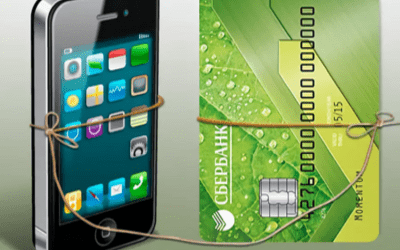
How to link a card to a phone number

Why link a card to a phone number
For holders of a credit or debit card from any bank, the safety of their funds is of primary importance. Linking a card account to a phone number will allow you to monitor all financial transactions carried out using:
- SMS alerts regarding card deposits, withdrawals, and spending;
- confirmation of any online transactions by entering the code sent to your phone;
- checking your card balance at any convenient time;
- blocking a lost or stolen card without visiting a branch.
In addition, mobile communication can serve as an alternative to online banking if it is not enabled or you have no internet access on your phone. To transfer money between your accounts or to someone else's account, simply send a few template text messages to the company's number with the amount and recipient's card details, and confirm the transaction with your customer code.

Linking your phone to your card allows you to use it for contactless payments for goods and services. Having a mobile bank is a mandatory requirement to ensure the security of financial transactions on your account. In case of card loss, the owner will immediately notice if someone decides to use it.
How to link a card to a phone number
When issuing almost any banking product, a financial institution requests the client's contact information. Therefore, you can link your card to your phone right when submitting the account opening application. If this was not done or you decide to change your number, you can connect it in any convenient way.
At the credit institution's branch
To visit the bank branch, you will need your passport and card. The procedure is as follows:
- Take a queue ticket from the terminal by selecting the service you need.
- When your number is called, approach the representative and present your documents.
- A company employee will draft an application to connect the mobile bank. You will only need to check its accuracy and sign it.
The bank will review the application within 24 hours, and the decision will be sent to the client via SMS.

At an ATM
To avoid waiting in line for a specialist, you can link your number to the card yourself via an ATM. A passport is not required in this case; all you need is the card itself and the phone you want to use for the Mobile Bank service. What you need to do:
- Insert the card into the reader.
- Enter your PIN.
- Find the "Mobile Bank" section and tap "Enable service".
- Select a tariff.
- Enter your phone number.
- Confirm the transaction, retrieve your card, and take your receipt.
You should receive a message confirming the successful activation of the service within no more than three days. Typically, the bank processes the request within 10-15 minutes. If you encounter difficulties using an ATM located inside a branch, you can ask a bank employee for assistance.
Via customer support
You can connect the mobile bank without visiting an office by calling the financial institution's hotline. To do this, you will need to:
- Provide the call center operator with verification data to confirm your identity.
- Choose the tariff plan you want to connect.
- Read out the code sent by the bank to your phone.
If the service is successfully activated, you will soon receive a notification message confirming that the service is enabled.
Note.
It is not possible to link a Sberbank card to your phone via the mobile app or online banking on the website. This is how the organization ensures transaction security and the safety of the client's funds. Anyone who gained access to the cardholder's account on the website could otherwise manage their finances..
We will find offers tailored to your situation
Leave your phone number, and we will show you options with a high approval probability and current terms.
- Verified offers
- No calls from managers
- Results delivered through your preferred channel
How to link another number to a Sberbank card
If the cardholder has changed their phone number, they need to update their mobile bank details. To do this, first disable notifications via Sberbank Online, and then submit a request to link the card using your new phone number. Just like the initial service setup, this can be done in one of three ways:
- at a branch;
- via an ATM;
- through the bank's hotline.
When speaking with an operator or bank employee, immediately specify that you want to change your number. If you are using a Sberbank ATM, go to "All operations", select "Information and services", and then "Mobile Bank". Tap "Change number" and enter your new details.
What to do if the phone number linked to the card is lost
Having access to the number where the "Card Notifications" service is active allows anyone to manage a bank client's financial transactions. Therefore, the very first step after losing or having your phone or SIM card stolen is to secure your accounts. To do this:
- Call the bank at +7 495 500-55-50 or 900 and report the situation. A specialist will temporarily disable transaction alerts and the ability to perform any operations via SMS. At the same time, you can link your card to a new phone number if you have one.
- Call your mobile operator and block the number. This will prevent unauthorized individuals from accessing your personal data.
How to protect yourself from fraudsters
Security rules when using a banking product:
- Never share your passwords, CVC/CVV codes, or client codes from SMS with anyone. Even bank employees do not have the right to ask you for this information or take your phone.
- Set a password on the phone that has mobile banking connected or Sberbank Online logged in.
- Do not click on unknown or suspicious links. They may lead to malicious websites that scammers use to access a user's personal data.
- Install antivirus software on all devices you use for online or mobile banking.
- Use only official applications and websites of the institution.
- Always monitor notifications sent to your phone. Carefully check the details of the transfer recipient.
All notifications from the company come only from numbers 900 or 9000. SMS from any other number may be sent only by fraudsters; do not answer or react.
Always inform the bank if you change your phone number or lose it. If you suspect any fraudulent activity against you, call the hotline. Specialists will help identify the threat and advise you on how to protect your finances.

0% for 10 years
From 0 %
Limit - up to 500000 RUB
Период - 0 дней

Withdrawal with 0% fee up to RUB 0
Up to 0 %
Тип кешбэка - Рубли
Кешбэк - Нет

Withdrawal without fee up to 100,000 RUB
Up to 0 %
Тип кешбэка - Рубли
Кешбэк - 10%
Other posts







