 Bank Zenit
 Renaissance Bank
 LOCO-Bank
 T-Bank
 Bank Sinara
 Credit Europe Bank




How to create a virtual Visa card

Virtual bank card: what it is
A digital card is the equivalent of our usual bank card. The only difference is that it has no physical medium, meaning it is issued exclusively in digital form. Usually, virtual cards exist as an addition to the main one, but there are banks that offer them as a separate product. Such organizations include Sberbank as well.

You could say that a digital card is practically no different from a regular plastic one. The only exception, perhaps, is the fact that you cannot cash out money from it, as it cannot be inserted into an ATM. Otherwise, it can be used just like our usual card.
Note.
Now Sberbank clients have the opportunity for contactless service at ATMs. Therefore, if the digital card is connected to the SberPay system, its holder can withdraw cash from it through any bank device equipped with such a function.
What virtual cards are used for
A digital product is an alternative to plastic, which is why it can be used to solve the same tasks:
- For paying for goods and services online.
- For signing up for subscriptions to various services.
- For paying bills.
- For booking hotels, cars, and airline tickets.
- For transfers to friends and family.
- For paying for goods and services using a smartphone, if the card is connected to a contactless payment system.
We will find offers tailored to your situation
Leave your phone number, and we will show you options with a high approval probability and current terms.
- Verified offers
- No calls from managers
- Results delivered through your preferred channel
How to open a virtual Visa bank card at Sberbank
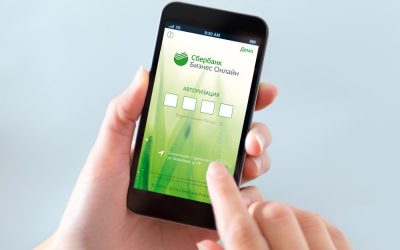
You can get a digital bank card from Sberbank through the official mobile application. To do this, you will need to:
- Log in to the Sberbank mobile application.
- On the main page, find the Wallet section and tap the green "+".
- Select "Apply for a debit card" there.
- Tap "All cards" in the top right corner of the application.
- Select the "Digital" line.
- Tap "Continue" and fill in all required fields.
- Next, submit your application and confirm it with a one-time SMS client code.

Note.
Sberbank allows you to issue a digital card only once. This means that if you already have one virtual product, you will not be able to order it a second time.
Terms of digital card maintenance at Sberbank
The fees for a Sberbank virtual card are as follows:
- annual maintenance is free for the entire validity period of the product;
- the daily cash withdrawal limit at Sberbank offices is 50,000 RUB, and the monthly limit is 100,000 RUB;
- the transfer limit is 50,000 RUB per month; for transfers exceeding this amount, the client will have to pay 0.5% of the transaction amount;
- the commission for cash withdrawals at a bank office is 0.75% of the amount;
- reissue is not available.
How to use a virtual bank card
You can use a virtual bank card in three different ways:
- Through SberBank Online or the bank's mobile application, just like other company products.
- To pay for goods and services via contactless payment systems after linking the product to your phone.
- Using the contactless service system at the network's ATMs.
Advantages of a virtual card
The main advantage of a digital banking product is its security. You have the right to set limits on daily transactions, thereby protecting yourself against unauthorized money debits. Therefore, a virtual product is a lifesaver of sorts for people who are used to shopping in online stores, which involves disclosing bank details.

The second advantage of such banking products is their versatility. They are serviced by Visa and MasterCard payment systems, so you can use them to pay in online stores anywhere in the world.
Another advantage is the simplicity of getting a bank card. It has no physical plastic carrier, so only a few minutes will pass from submitting the application to issuing the card. At the same time, you do not need to visit a bank office—you can get the service online.
Practically all virtual cards, regardless of the bank, are issued with free annual maintenance, which is an advantage for people who do not care about having a physical plastic card.
Disadvantages of digital cards
There are practically no downsides to these advantages. Perhaps, other than the fact that most banks do not allow cashing out money from such products because their ATMs are not equipped with contactless service systems. But even in this case, you can find a way out. For example, you can transfer money to another debit card of yours and use that one to withdraw cash.
Another disadvantage is the short validity period of the product. While regular plastic cards are designed for several years, you can use a digital card from several months to three years, depending on the financial institution where you are serviced. After this period, you will have to reissue the product.
Кроме СберБанка виртуальные карты выпускают также Т-Банк, Русский Стандарт, Россельхозбанк и другие банки России.

0% for 10 years
From 0 %
Limit - up to 500000 RUB
Период - 0 дней

Withdrawal with 0% fee up to RUB 0
Up to 0 %
Тип кешбэка - Рубли
Кешбэк - Нет
Withdrawal without fee up to 100,000 RUB
Up to 0 %
Тип кешбэка - Рубли
Кешбэк - 10%
Other posts