Bank Zenit
 Renaissance Bank
 LOCO-Bank
 T-Bank
 Bank Sinara
 Credit Europe Bank






Sberbank authorization code

How the bank uses the code
The Sberbank authorization code is a 6-digit numeric value. For example, 292558. And it has nothing to do with the client code that we receive when confirmation of a payment or transfer is required. To find out what an authorization code is, let us imagine online payment with a bank card:
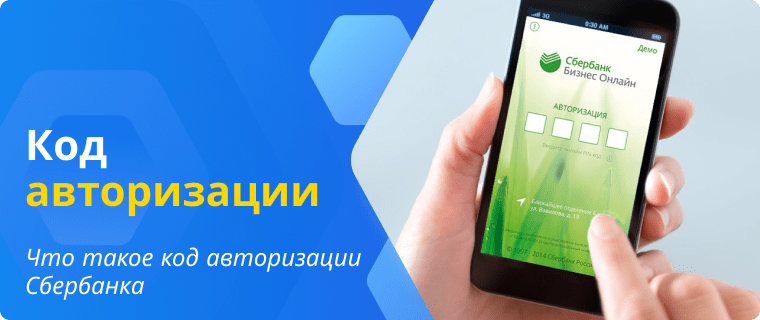
- To complete a transaction, the buyer taps the bank card on a POS terminal or enters the PIN code. When paying in an online store, they enter a one-time client code.
- Immediately after this, an authorization request is sent to the processing center. The center, in turn, determines the bank servicing the card and requests the possibility of executing the transaction.
- Next, the request is sent to the acquiring bank. The processing center receives information about the amount and direction of the payment from it.
- If the transaction is possible, the operation is executed, and the buyer receives a receipt.
That is, bank card authorization implies checking the account for the possibility of carrying out the operation. If for some reason it is impossible to process the payment or transfer, information about this will appear in the terminal window or in a separate browser window in case of an online purchase. Upon a successful transaction, the client receives an operation receipt.
In addition to the main details of the purchase or transfer (amount, time, etc.), the receipt also contains an "Authorization Code" line. This is the code that the bank assigns to the transaction in case of a positive decision. It carries no information for the client themselves.
How to get the code
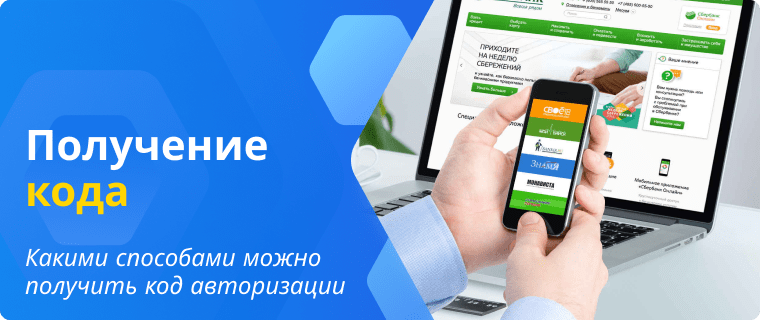
Since the authorization code carries no value for the client, it will not be possible to obtain it in any way via an SMS message or email. However, you can always see it on receipts for completed transactions. You can do this in three ways: through the Sberbank website, through the mobile application, and through the bank's terminal.
Sberbank Website
To find a receipt through Sberbank Online, a user needs to:
- Log in using a login, password, and a one-time five-digit code from an SMS message.
- On the main page of the website, go to the "Operation History" section and find the payment or transfer of interest.
- If the operation was successful, the "Print Receipt" button will be available to the client.
- A document with payment information, including the authorization code, will appear in the opened tab.
Mobile app
Finding the receipt via the mobile app is practically identical:
- You will need to open the "History" tab and select the transaction of interest.
- Click the "Save receipt" button.
The opened document will display payment or transfer details, including the "Authorization code" line.
Terminal
Searching for data via an ATM is the same as with the mobile app, with a single difference: to open the transaction history, you will need to insert your bank card into the terminal and enter your PIN.
We will find offers tailored to your situation
Leave your phone number, and we will show you options with a high approval probability and current terms.
- Verified offers
- No calls from managers
- Results delivered through your preferred channel
Authorization errors
It sometimes happens that completing a transaction is impossible for various reasons. In such cases, the payment or transfer is assigned a refusal code rather than an authorization code. Reasons for request rejection may include:
- Insufficient funds on the card to complete the transaction. As a rule, when a request is rejected for this reason, the customer receives a text message with the relevant information.
- The card is invalid. This happens when its expiration date has passed.
- The permissible number of authorizations has been exceeded. This can happen if the tariff plan provides for a limit on daily or monthly transactions. In this case, the transaction request will be declined.
- Blocking of the card by the cardholder or the bank due to suspected unauthorized access to customer data.
- A technical glitch that makes it impossible to transfer funds to the seller.
If the bank has declined the authorization request, the customer will receive a refusal code. With this code, the cardholder can contact a bank branch or the hotline to get an explanation regarding the failed transaction.
How to find a receipt by authorization code
Thus, we have established that when making a payment or transfer, the bank assigns the transaction a unique code: an authorization code or a refusal code, depending on whether it was approved by the issuer or not.
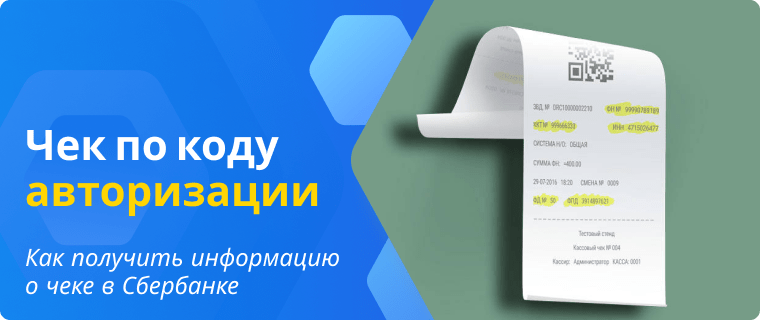
In fact, Sberbank customers do not need this data; it is only required by the bank. However, if desired, the card account holder can obtain information about the receipt. You will not be able to find it yourself using the authorization code — Sberbank does not provide such an option to its customers. Nevertheless, knowing the digital combination, the cardholder can clarify all transaction details with a bank employee at an office or via the hotline.
Conclusion
The Sberbank authorization code is not a one-time password to confirm a transaction or log into the online banking system, as many people tend to think. It is the value assigned by the issuer when a transaction is made. It can only be found in receipts issued by the cashier or stored in the Sberbank Online personal account. Knowing this code, the bank card holder can clarify all necessary transaction information with Sber employees.

0% for 10 years
From 0 %
Limit - up to 500000 RUB
Период - 0 дней

Withdrawal with 0% fee up to RUB 0
Up to 0 %
Тип кешбэка - Рубли
Кешбэк - Нет

Withdrawal without fee up to 100,000 RUB
Up to 0 %
Тип кешбэка - Рубли
Кешбэк - 10%
Other posts