Bank Zenit
 Renaissance Bank
 LOCO-Bank
 T-Bank
 Bank Sinara
 Credit Europe Bank





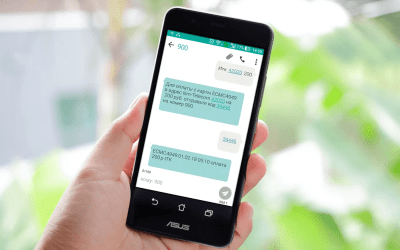
ESMS

How to activate
You can connect the electronic notification system in several ways of your choice: with the help of employees at a bank branch or by calling the hotline, independently through Sberbank ATMs and terminals, or via the mobile application.

Before activating the service, you need to review the tariff plans. Currently, Sberbank offers only three:
- For holders of Gold and Platinum premium cards, the electronic notification service is free of charge.
- For standard cardholders, it is 60 RUB per month.
- For basic cards, it is 30 RUB per month.
At the branch
The easiest way to activate mobile notifications from Sberbank is to contact an employee directly at a bank branch. You will need to have your bank card, passport, and mobile phone with you.
Hotline
If your phone number is already linked to your bank card, you can activate the ESMS system by phone. To do this, clients should contact bank employees at 8 (800) 555-55-00 or the short number 900.
ATMs
You can also activate ESMS without the help of bank employees—using Sberbank ATMs. To do this, follow these steps:
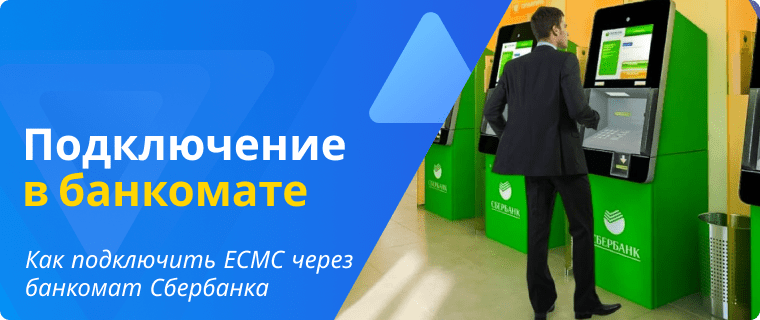
- Insert your card into the ATM or terminal and enter your PIN code.
- In the window that opens, click the "Mobile Bank" button.
- Next, click "Activate primary card".
- Review the tariff information.
- Enter the phone number where you want to receive notifications.
- Confirm your actions by entering the code from the SMS message.
Sberbank Mobile App
You can activate the notification system via Sberbank Online only if the client has already activated the online banking feature. Otherwise, the user will first need to obtain a unique login and password at a Sberbank ATM and then complete initial authorization on the bank's website.
For those already registered in Sberbank Online, follow these instructions to activate ESMS:
- Open the official Sberbank mobile app.
- After logging in, go to your profile by clicking the button in the upper left corner of the screen.
- Select the "Settings" tab.
- Next, select "Bank notifications".
- Select the card you want.
- Review the tariff plan.
- Confirm your selection with the code from the SMS message.
How to protect yourself from fraudsters
While SMS notifications help protect bank clients from unauthorized write-offs to some extent, they cannot completely shield you from fraud. Today, there are several common tricks that cardholders fall for:
- A message is sent to the client's phone that looks similar to a bank notification, but asks them to reply via SMS with a password or personal data.
- Calls from alleged Sberbank employees, during which fraudsters try to gain access to the online banking account or approval to execute a payment transaction.
Therefore, the only way to fully protect yourself from unauthorized withdrawals from your bank card is to remember that Sberbank employees never ask clients to state authorization codes or personal data.
We will find offers tailored to your situation
Leave your phone number, and we will show you options with a high approval probability and current terms.
- Verified offers
- No calls from managers
- Results delivered through your preferred channel
Recommendations for cardholders
Finally, here are a few recommendations to help you use your bank cards safely:
- No one, including bank employees, has the right to request your card's secret details: PIN code, CVV/CVC code, or one-time codes received via SMS. Therefore, never disclose them to third parties to avoid unauthorized access to your card.
- If possible, enable electronic notifications. This will help you track all card transactions and react quickly in case of unauthorized withdrawals.
- Never give your card to third parties. Otherwise, fraudsters may copy the data and use it for personal purposes.
- If your card is lost, block it immediately and order a replacement. This will keep the funds in your account safe.
Conclusion
ESMS (Unified Mobile Messaging System) is not only a convenient feature for notifying cardholders about completed transactions. First and foremost, it aims to ensure customer security. Therefore, we recommend keeping the service enabled if possible. This allows you to track card spending and respond promptly to unauthorized withdrawals by contacting a bank employee and blocking the card.

0% for 10 years
From 0 %
Limit - up to 500000 RUB
Период - 0 дней

Withdrawal with 0% fee up to RUB 0
Up to 0 %
Тип кешбэка - Рубли
Кешбэк - Нет

Withdrawal without fee up to 100,000 RUB
Up to 0 %
Тип кешбэка - Рубли
Кешбэк - 10%
Other posts