Bank Zenit
 Renaissance Bank
 LOCO-Bank
 T-Bank
 Bank Sinara
 Credit Europe Bank






How to repay a Kviku loan: 7 ways

7 ways to repay a Kviku loan
The service provides users with several installment repayment methods. You can choose the one that suits you best. Let's discuss in detail how to deposit money onto a virtual Kviku card.
Bank card
The system accepts payments from cards of any payment systems used in Russia: Visa, MasterCard, Maestro, and MIR. To top up your Kviku card, you need to:
- Log in to your personal account on the Kviku website.
- Find the loan in question and click the "Pay" button.
- Enter your bank card details.
- Enter the confirmation code.
Payment terminal or QIWI wallet
To repay the loan using an existing QIWI electronic wallet, you need to:
- Enter your wallet number (phone number) into the pop-up form on the MFI website. The system will automatically calculate the debt amount and issue an invoice for payment.
- Click the "Pay" button.
You can top up your card via a QIWI terminal as follows:
- Go to the main menu of the terminal.
- Find the microfinance organization by name.
- Enter the credit agreement number.
- Deposit the debt amount.
The terminal does not calculate the debt amount owed to the credit organization. You can find out your loan amount in your personal account Kviku.
Bank transfer
You can repay your debt to the MFI via bank transfer through the Contact payment system. To do this, you need to visit one of the payment acceptance points and provide the payment organization's details and the transfer amount. You can find these payment details on the company's website.
Please note that the system charges a fee for transfers. Its amount depends on the transaction amount — from 125 to 1000 RUB.
Svyaznoy store terminal or cash desk
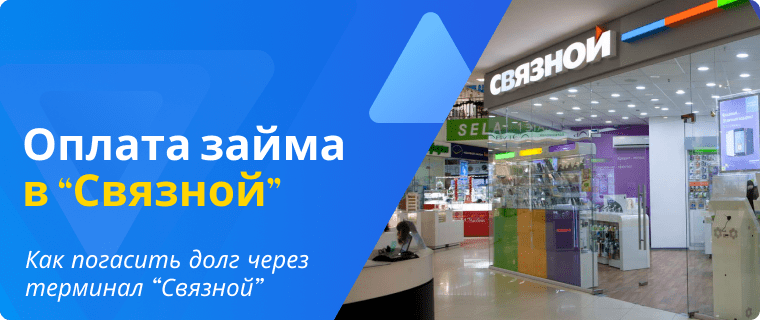
To repay the debt via the Svyaznoy terminal, you need to:
- Go to the services menu.
- Find the microfinance organization.
- Enter your phone number.
- Enter the order number.
- Specify the debt amount.
- Deposit funds.
If your debt amount exceeds 15,000 RUB, you will have to repay the debt in installments or through the cash desk.
To pay at the cash desk, you need to provide the operator with the exact same details: service name, phone number, order number, debt amount. Be sure to keep the transaction receipt in case the money is not credited to your MFI account.
Elecsnet terminal
To pay the debt via the Elecsnet terminal, you will need to:
- Open the main payment page.
- Go to the "Banks and Loans" section.
- Select "Microlending".
- Click on the credit organization's logo.
- Enter the credit agreement number.
- Specify the phone number.
- Enter the amount to pay.
- Deposit the money.
Europlat terminal
Debt repayment via the Europlat terminal works in the exact same way as in the previous case.
Other payment systems
Today, besides QIWI, you can repay the debt via the YooMoney payment system. To do this, you need to select the payment method in your personal account, enter the wallet number, and make the payment.
Penalty for payment delay
When repaying the debt, please pay attention to the timeframe for funds to be credited to the microfinance organization's account. In case the money arrives late, the MFI will charge a penalty on the debt amount. Its rate is 20% per annum of the debt amount.
In addition, for each day of delay, you will be charged a penalty of 0.05% of the debt amount and the interest accrued over that time.
We will find offers tailored to your situation
Leave your phone number, and we will show you options with a high approval probability and current terms.
- Verified offers
- No calls from managers
- Results delivered through your preferred channel

0% for 10 years
From 0 %
Limit - up to 500000 RUB
Период - 0 дней
Срок займа до 1 дней
From 0.8 %
Сумма - до 20000 ₽
Credit history - Any
Loan term up to 30 days
From 0.8 %
Сумма - до 15000 ₽
Credit history - Any
Other posts