 Bank Zenit
 Renaissance Bank
 LOCO-Bank
 T-Bank
 Bank Sinara
 Credit Europe Bank


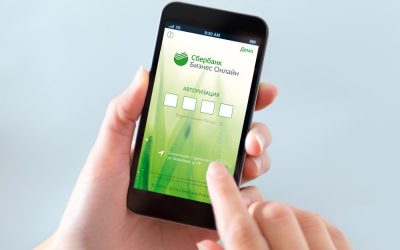

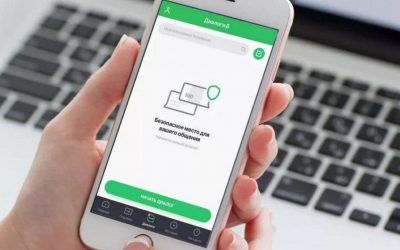
How to disable mobile banking at Sberbank

Why is Mobile Bank needed?
The functionality of the Sberbank service is not limited to simple notifications. The service's capabilities are much broader—with its help, the user can perform basic debit operations.
Thus, after activating Mobile Bank, the cardholder can:
- receive client codes to log in to Sberbank Online, as well as to make purchases and transfers;
- request the current card balance;
- transfer money by phone number or card number to other Sberbank clients;
- top up a mobile phone account.
How much does the Mobile Bank service cost?
The cost of the service depends on the maintenance tariff:
- for holders of basic Sberbank cards (such as pension, youth, and student cards, for example), mobile banking will cost 30 RUB per month;
- for holders of standard cards – 60 RUB per month;
- holders of premium cards can use the service completely free of charge.
By connecting the service, you can choose the tariff plan you need yourself. Thus, you can connect the full package, which includes push and SMS notifications, as well as the ability to perform certain debit transactions. The cost of such a tariff plan is indicated above. Alternatively, you can choose the "Economical" package. Its functionality includes only receiving customer codes. At the same time, the maintenance of such a service will be free of charge.
The connection of mobile banking itself is free.
We will find offers tailored to your situation
Leave your phone number, and we will show you options with a high approval probability and current terms.
- Verified offers
- No calls from managers
- Results delivered through your preferred channel
Why disable Mobile Bank in Sberbank?
Although mobile banking is genuinely convenient and sometimes essential, you may eventually need to deactivate it.
For example, this can happen for the following reasons:
- when changing your mobile phone number — in this case, you will need to activate the service for the new number to protect your accounts from unauthorized debits;
- if you lose your phone — you will need to deactivate the service for the reason mentioned above;
- if you no longer need the service — if you rarely use your bank card;
- if you suspect fraudulent activity on your accounts.
How to disable Mobile Bank in Sberbank?
Removing the Mobile Bank service is quite simple. You can do this via the Sberbank mobile app, an ATM, a USSD command, an SMS message, the hotline, or at a bank branch. Let us look at each method in a bit more detail.
Via mobile app
To deactivate the service via the SberBank app, you need to:
- log in to your personal account;
- tap the notification icon in the top right corner of the screen;
- tap the settings icon in the top right corner as well;
- go to the "Notification Settings" section;
- select the card you are interested in;
- tap on the phone number;
- select "Disable notifications".
Via ATM
To disable the service via an ATM, you need to:
- insert your card into the machine or tap it if the ATM supports contactless service;
- enter your PIN code;
- select the "Mobile Bank" section in the main menu;
- tap "Disable".
Via a USSD command
To disable the service using a USSD command, dial "*900*04#" on your phone and press the call button. Once Mobile Bank is disabled, you will receive a corresponding notification.
Via SMS message
To deactivate the service via SMS, send the text "BLOKIROVKAUSLUG" to 900. If you did everything correctly, you will receive an SMS from the bank within a few minutes notifying you that the "Mobile Bank" service will soon be disabled.
At a SberBank branch
Find the SberBank branch closest to you on the map and visit during business hours without an appointment. Tell the employee the purpose of your visit and verify your identity with your passport.
By hotline phone
To deactivate the service via the hotline, dial 900 or +7 (800) 555-55-50, provide your personal data to the operator, and state the purpose of your call.
Via tariff change
To opt out of notifications by changing your tariff plan, send a message to 900 with the text: "Ekonom1234", where 1234 are the last four digits of your bank card number. Confirm the action with the code from the SMS message.
This method does not disable the service completely, but merely switches the tariff plan to the free option.
Can the service be re-activated after being disabled?
After disabling Mobile Bank, you can reactivate the service at your convenience. You can do this in several ways: via the mobile app, an ATM, by calling the hotline operator, at a bank branch, or using a USSD command. Let us look at each option in a bit more detail.
Through the mobile app
The fastest and easiest way to reactivate the service is through the mobile app. To activate Mobile Bank, you need to:
- log in to your SberBank Online account;
- tap the notification icon in the top right corner of the screen;
- tap the three dots in the top right corner of the screen as well;
- select "Notification Settings";
- select the card you are interested in;
- tap on the phone number;
- select "Enable notifications";
- tap the "Enable" button.
Activating the service through the web version of SberBank Online is currently unavailable.
Via a Sberbank ATM
To activate the service via an ATM, you must have your SberBank card with you. To activate Mobile Bank this way, you need to:
- insert your card into the machine or tap it if the ATM supports contactless service;
- enter your PIN code;
- select the "Information and Services" section in the main menu;
- find "Mobile Bank";
- tap the "Enable service" button.
By hotline phone
To activate the service via the hotline, simply call 900 or +7 (800) 555-55-50, tell the operator the purpose of your call, provide your personal data, and wait for your request to be processed.
At a SberBank branch
To activate Mobile Bank at a SberBank branch, simply find the office closest to your home on the map and visit it with your passport, without an appointment. Tell the employee the purpose of your visit and state your preferred tariff plan: "Full" or "Economy".
Via a USSD command
To activate the service via USSD, dial the command: "*900*05*1234#", where 1234 are the last four digits of your card number.
To sum up, Mobile Bank is a useful feature. With its help, you can instantly receive updates on card transactions, confirm online payments, get login codes for your personal account, and make transfers to other SberBank clients. If necessary, you can quickly disable the service and reactivate it just as fast.
0% for 10 years
From 0 %
Limit - up to 500000 RUB
Период - 0 дней

Withdrawal with 0% fee up to RUB 0
Up to 0 %
Тип кешбэка - Рубли
Кешбэк - Нет
Withdrawal without fee up to 100,000 RUB
Up to 0 %
Тип кешбэка - Рубли
Кешбэк - 10%
Other posts