Bank Zenit
 Renaissance Bank
 LOCO-Bank
 T-Bank
 Bank Sinara
 Credit Europe Bank





Подписка Т-Банк Про: что это?

Подписка “Т-Банк Pro”: что это такое?
Подписка “Т-Банк Pro” — это платная услуга. Внося ежемесячную абонентскую плату, клиенты банка получают еще большую выгоду от использования продуктов Т-Банк. Например, дополнительная услуга позволяет уменьшить платеж по годовому обслуживанию по дебетовм и кредитным картам, увеличить доходность накопительных счетов и вкладов, получить большую выгоду по кэшбэку.
Преимущества подписки “Т-Банк Pro” для клиентов
Как мы уже сказали выше, подписка “Т-Банк Pro” позволяет получить большую выгоду от использования продуктов Т-Банк Банка. Ниже представили все преимущества от дополнительной услуги.
Maintenance cost
| Maintenance cost | Без подписки “Т-Банк Pro” | С подпиской “Т-Банк Pro” |
| Debit cards | ||
| Т-Банк Блэк, ALL Games, AliExpress, Lamoda, WWF, МФТИ, Магнит, Яндекс Про | 0 to 99 RUB per month | free of charge |
| S7 — Т-Банк, World of Tanks, World of Tanks Blitz, World of Warships | from 0 to 190 RUB per month | from 0 to 95 RUB per month |
| ALL Airlines, Т-Банк Drive | from 0 to 299 RUB per month | from 0 to 149.5 RUB per month |
| Credit cards | ||
| Т-Банк Платинум | 590 RUB per year | free of charge |
| ALL Games, Т-Банк Drive, AliExpress, Lamoda, World of Tanks, World of Tanks Blitz, World of Warships, WWF, Магнит, Яндекс Про | 990 RUB per year | 495 RUB per year |
| ALL Airlines, S7 — Т-Банк | 1890 RUB per year | 945 RUB per year |
Yield on card and savings accounts, deposits
| Yield on card and savings accounts, deposits | Без подписки “Т-Банк Pro” | С подпиской “Т-Банк Pro” |
| На остаток по карте Т-Банк Блэк | up to 3% per annum | up to 6% per annum |
| On savings account for any debit card | up to 3% per annum | up to 6% per annum |
| On ruble deposit | up to 7% per annum | up to 8% per annum |
Cashback accrual
| Cashback accrual terms | Без подписки “Т-Банк Pro” | С подпиской “Т-Банк Pro” |
| Лимит кэшбэка за покупки по карте Т-Банк Блэк | 3 thousand bonus rubles | 5 thousand bonus rubles |
| Лимит кэшбэка за покупки по картам ALL Airlines, Т-Банк Платинум, ALL Games, Т-Банк Drive | 6 thousand miles or bonus points | 10 thousand miles or bonus points |
| Категории повышенного кэшбэка для Т-Банк Блэк | 4 out of 7 to choose from | 4 out of 8 to choose from |
| Кэшбэк за билеты в кино, театры и на концерты в Т-Банке Сервисах | 5% | 15% |
| Кэшбэк за оплату отелей в Т-Банке Путешествиях
(ALL Airlines, S7 — Т-Банк — без изменений) |
up to 7 % | up to 10 % |
| Кэшбэк за покупку билетов в Т-Банке Путешествиях
(ALL Airlines, S7 — Т-Банк — без изменений) |
up to 3 % | up to 5 % |
| Кэшбэк за покупку любого полиса в Т-Банке Страховании (Т-Банк Drive — без изменений) | up to 2 % | 5% |
Additional bonuses
| Additional bonuses | Без подписки “Т-Банк Pro” | С подпиской “Т-Банк Pro” |
| Card transaction alerts | 59 RUB per month | free of charge |
| Currency exchange: minimal spread with the market rate from Monday to Friday from 10:00 to 18:45 Moscow time | no | from 0.25 % |
| Т-Банк Инвестиции: специальные условия для покупки и продажи ценных бумаг Т-Банк Банка и TCS Group Holding PLC на Московской и Санкт-Петербургской биржах. | with a transaction fee | without a transaction fee |
| Т-Мобайл: бесплатные звонки для тарифов 2.0 и выше | no | 600 min |
| Partner subscriptions: special subscription terms for IVI and START video services | no | 449 RUB per month |
| Т-Банк Путешествия: возврат и обмен билетов без комиссии | no | Yes |
| Переводы на карты: со всех дебетовых карт Т-Банк на карты других банков без комиссии | up to 20,000 RUB per month | up to 50,000 RUB per month |
Как подключить подписку “Т-Банк Pro”?
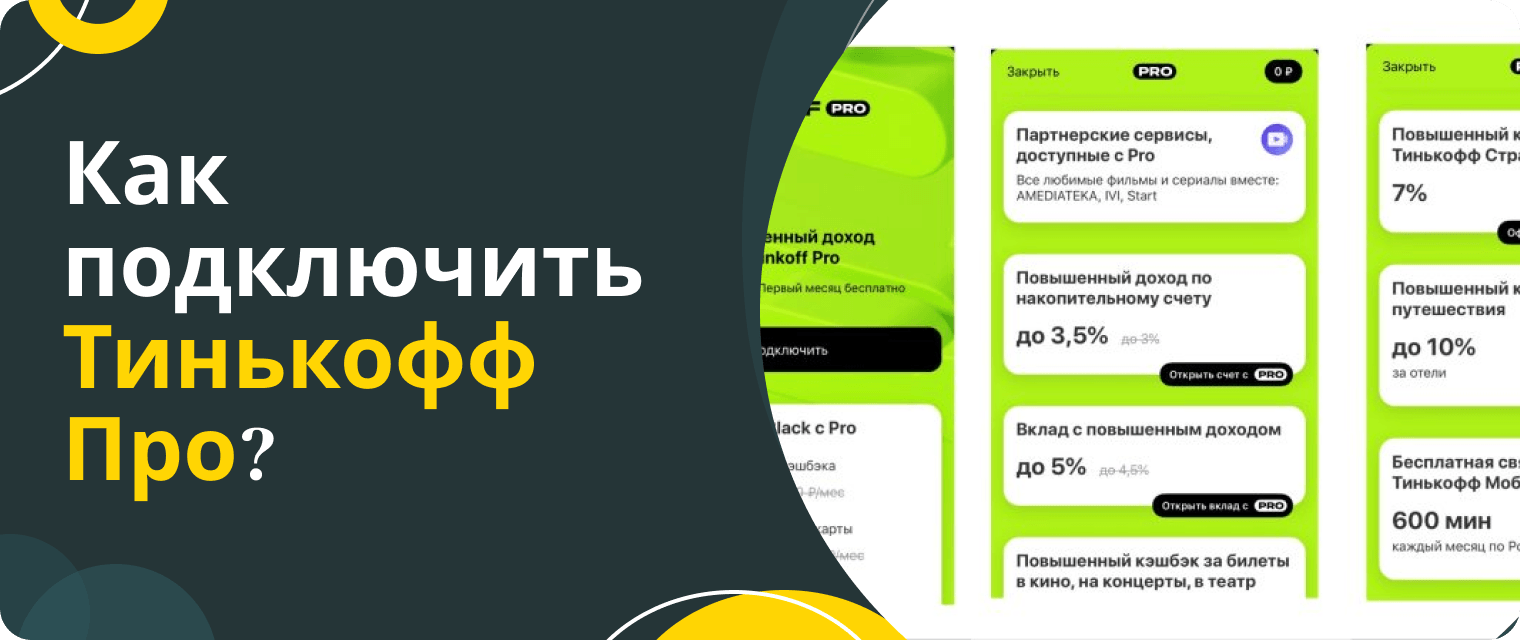 Подключить дополнительную услугу “Т-Банк Pro” можно двумя способами: на странице подписки и в мобильном приложении Т-Банк Банка. В первом случае для активации услуги вам потребуется:
- go to the subscription page via link;
- click the "Try for free" button or scroll to the very bottom of the screen;
- select the required subscription;
- указать номер телефона, к которому привязана карта Т-Банк Банка;
- click the "Subscribe" button.
В мобильном приложении подключить Т-Банк Pro можно следующим образом:
- авторизоваться в мобильном приложении Т-Банк Банка;
- on the main screen, go to the "Cashback and bonuses" section;
- выбрать “Больше бонусов с подпиской Т-Банк Pro”;
- выбрать подписку “Т-Банк Pro”;
- click the "Subscribe" button.
We will find offers tailored to your situation
Leave your phone number, and we will show you options with a high approval probability and current terms.
- Verified offers
- No calls from managers
- Results delivered through your preferred channel
Как отключить подписку “Т-Банк Pro”?
Если вы решили, что преимущества от подписки недостаточно выгодные для вас или у вас просто нет возможности отдавать лишние деньги за дополнительную услугу, вы можете в любой момент отказаться от нее. Отключить Т-Банк Pro можно двумя способами: в личном кабинете на официальном сайте Т-Банк Банка или в мобильном приложении.
In the first case, you can disable the additional service as follows:
- авторизоваться в личном кабинете на официальном сайте Т-Банк Банка;
- in the upper right corner of the screen, click the grey icon with a checkmark;
- select the "Profile management" section;
- go to the "Subscriptions" tab;
- select the "Subscription settings" section.
You can cancel the subscription in the mobile app as follows:
- авторизоваться в мобильном приложении Т-Банк Банка;
- on the main screen, select the "Cashback and bonuses" section;
- пролистать экран до блока “Что дает вам подписка Т-Банк Pro”;
- click the gear icon in the upper right corner of the screen.
Answering frequent questions
To conclude the article, we will answer the most frequently asked questions on the topic.
Кто может купить подписку “Т-Банк Pro?
Оформить платную подписку может любой клиент Т-Банк Банка, имеющий дебетовую или кредитную карту организации. Если у вас еще нет карточки, вы можете оформить ее на сайте компании и одновременно с ней активировать и подписку.
Сколько стоит оформить подписку “Т-Банк Pro”?
Один месяц подписки стоит 199 рублей. Если вы оформляете Т-Банк Pro впервые, банк дарит первый месяц использования, а плату списывает лишь со второго.
Как оплатить подписку “Т-Банк Pro”?
You do not need to pay for the subscription manually — the bank will automatically charge the fee for it every month.
Как продлить подписку “Т-Банк Pro”?
You do not need to renew the subscription manually — it will happen automatically until you cancel the service.
How to change the card used to pay for the subscription?
Поменять карту для оплаты Т-Банк Pro можно в личном кабинете на официальном сайте Т-Банк Банка или в мобильном приложении. В первом случае для смены платежного инструмента нужно:
- авторизоваться в личном кабинете на официальном сайте Т-Банк Банка;
- in the upper right, click the grey button with a checkmark;
- select the "Profile management" section;
- go to the "Subscription" tab;
- select the "Subscription settings" section.
You can change the card in the mobile app as follows:
- авторизоваться в мобильном приложении Т-Банк Банка;
- on the main screen, select the "Cashback and bonuses" section;
- пролистать до блока “Что дает вам подписка Т-Банк Pro”;
- click the gear icon in the upper right corner of the screen.
Можно ли вернуть деньги за подписку “Т-Банк Pro”?
You cannot get a refund for an already paid active subscription. For the bank to stop charging for the service, you need to disable it using the method described above.

0% for 10 years
From 0 %
Limit - up to 500000 RUB
Период - 0 дней

Withdrawal with 0% fee up to RUB 0
Up to 0 %
Тип кешбэка - Рубли
Кешбэк - Нет

Withdrawal without fee up to 100,000 RUB
Up to 0 %
Тип кешбэка - Рубли
Кешбэк - 10%
Other posts